How to automate your customer follow-ups without losing the human relationship?
Following up with a customer should be simple.
In reality, it is often one of the most poorly managed tasks.
Not because teams don't know how to do it.
But because it relies on:
- memory
- available time
- and individual rigor
Result:
- forgotten customers
- accumulating delays
- follow-ups done too late or irregularly
- a feeling of disorganization on the client side
👉 The problem is not sales.
👉 The problem is follow-up.
Why automating your customer follow-ups improves your collections and your follow-up
Automating customer follow-ups is not just about saving time.
It mainly allows you to:
- reduce payment delays
- improve the regularity of collections
- avoid human forgetfulness
- standardize customer follow-up
- make processes reliable and repeatable
👉 In short: you no longer depend on 'who thinks to follow up'.
What happens if you don't automate them
Without a structured system:
1. Delays become normal
Customers pay, but without regular follow-up, deadlines stretch.
2. Customer follow-up becomes inconsistent
Some customers are followed up multiple times, others never.
3. Teams waste time on repetitive tasks
Copy-pasting emails, manual checks, Excel tracking…
4. Errors accumulate
Forgotten invoices, bad timing, lack of follow-up.
Tools to automate your follow-ups
ERPs and CRMs
Solutions like Odoo allow you to:
- track open invoices in real time
- trigger automatic follow-ups
- define follow-up scenarios
- connect sales, billing, and customers
Email automation tools
They allow you to create simple scenarios:
- invoice sent
- automatic reminder J+7
- follow-up J+14
- final follow-up J+21
👉 Everything is done without manual intervention on standard cases.
The most effective approach: hybrid
- automation for simple reminders
- human intervention for sensitive cases
👉 The goal is not to eliminate the customer relationship, but to make it more consistent.
3-step follow-up script
Step 1: gentle reminder
Objective: inform without pressure
Step 2: structured follow-up
Objective: clarify and understand the situation
Step 3: Firm Follow-up
Objective: Trigger a quick action
Personalize without dehumanizing
Automating does not mean sending cold messages.
Best practices:
- use the customer's first name
- remind the context (invoice, project…)
- keep a simple and professional tone
- avoid aggressive wording
- always leave room for dialogue
Examples of follow-up messages
Step 1: gentle reminder
Hello {{First Name}},
We hope everything is going well for you.
We are simply reminding you that invoice {{Number}} is still pending payment.
Please feel free to reach out to us if needed.
Best regards,
The Team
Step 2: structured follow-up
Hello {{First Name}},
Unless we are mistaken, invoice {{Number}} is still unpaid as of today.
Can you confirm its processing?
If there is a blockage, we can certainly discuss it together.
Best regards,
The Team
Step 3: Firm Follow-up
Hello {{First Name}},
Despite our previous messages, invoice {{Number}} remains pending payment.
Please proceed with the payment quickly or contact us to find a solution.
Sincerely,
The Team
See how Odoo manages your follow-ups
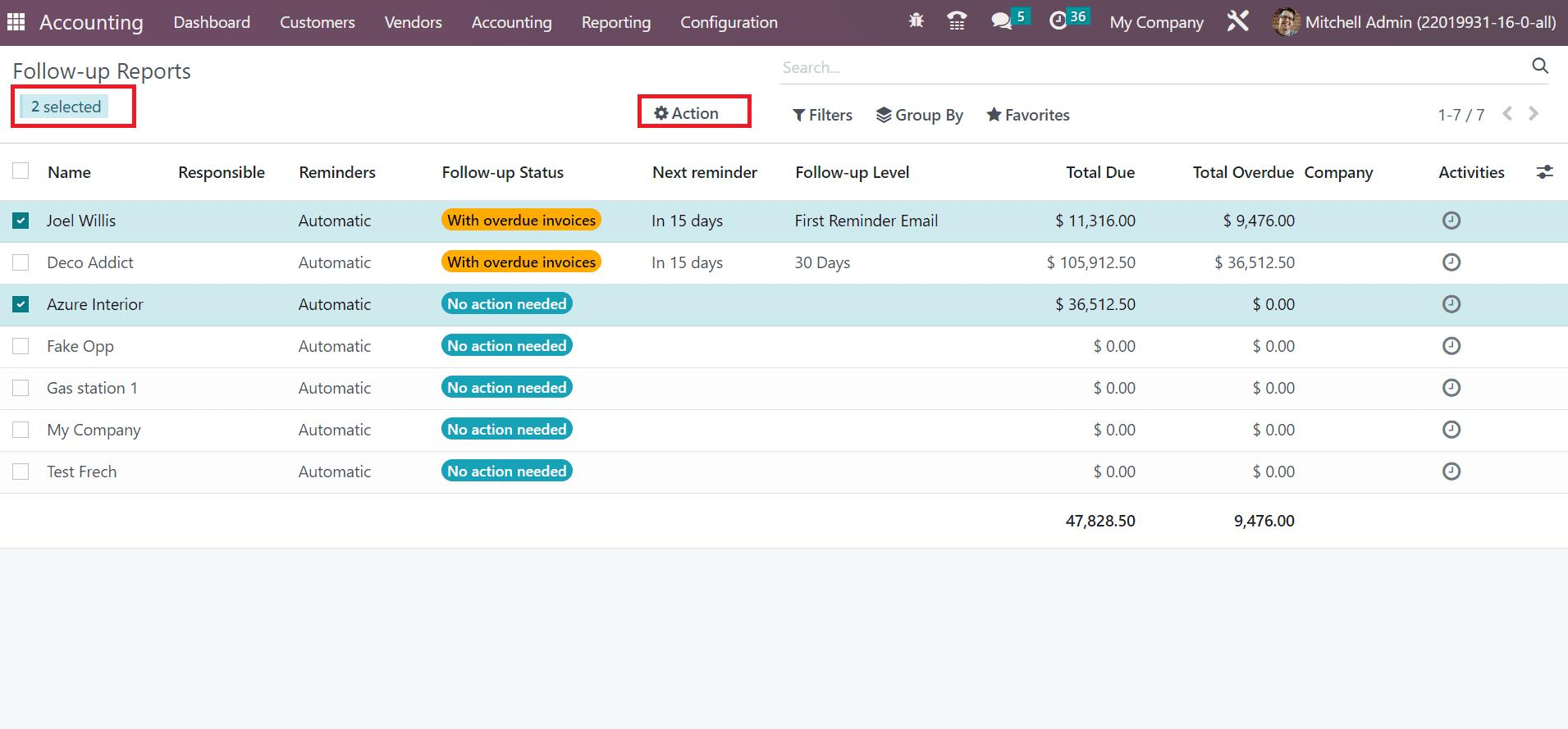
With Odoo, you can:
- automate invoice reminders
- define reminder scenarios
- track payments in real time
- connect accounting and CRM
👉 Reminders no longer depend on a forgetfulness or a person.
Conclusion
Automating customer reminders does not replace human relationships.
It allows you to:
- structure customer follow-up
- avoid forgetfulness
- gain consistency
- free up time on repetitive tasks
👉 In reality, a small business does not lose customers because of its sales.
It often loses them due to irregular follow-up.
RELATED PAGES: